> ## Documentation Index
> Fetch the complete documentation index at: https://docs.getgalaxy.io/llms.txt
> Use this file to discover all available pages before exploring further.
# Edges
> Connecting nodes into a living graph in Galaxy
## **What is an Edge?**
An **Edge** defines how two nodes are connected.
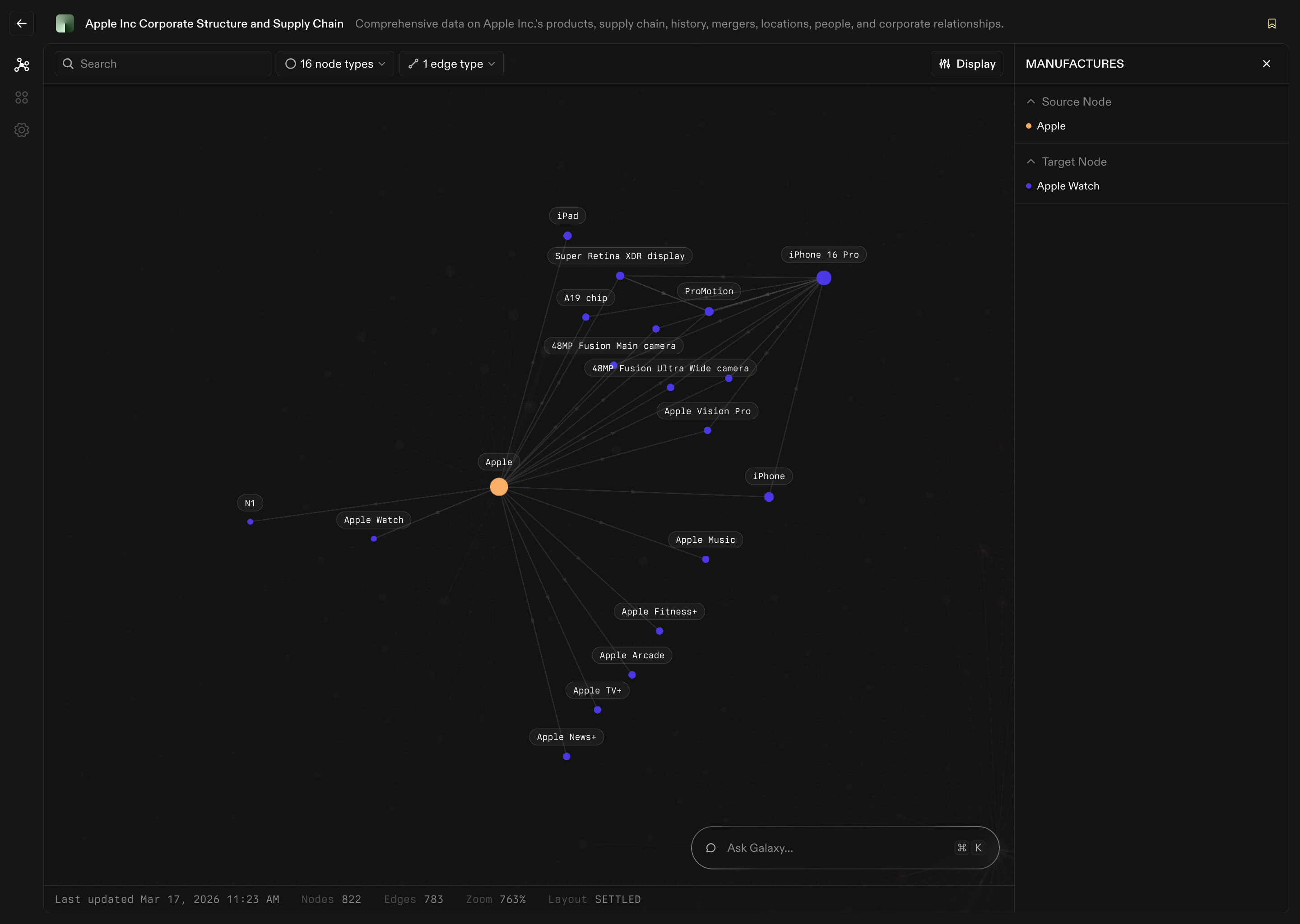 If Nodes are the nouns of your context graph, Edges are the verbs.
Examples:
* Customer **places** Order
* Order **contains** Product
* Employee **works on** Project
* Account **belongs to** Organization
* Firm **invested in** Company
Without edges, you only have isolated concepts. With edges, you can answer questions like:
* Which customers bought this product?
* Which invoices belong to this account?
* Who is responsible for this deal?
* How are these two entities connected?
## **Representing Data as Edges**
Nodes define the main entities of your graph. Edges define how those things interact. Edges can represent many kinds of connections. Some examples:
| **Source Node** | **Edge** | **Target Node** |
| :-------------- | :--------- | :-------------- |
| Customer | places | Order |
| Order | contains | Product |
| Employee | manages | Account |
| Department | includes | Employee |
| Invoice | references | Contract |
Every edge in Galaxy includes several layers of information:
Ex: PLACES
Ex: Customer A
Ex: Order
This is how we map back to your sources.
## **What’s Next**
You now understand the core concepts behind your context graph. The next step is to start building.
Connect your sources
Build your context graph
If Nodes are the nouns of your context graph, Edges are the verbs.
Examples:
* Customer **places** Order
* Order **contains** Product
* Employee **works on** Project
* Account **belongs to** Organization
* Firm **invested in** Company
Without edges, you only have isolated concepts. With edges, you can answer questions like:
* Which customers bought this product?
* Which invoices belong to this account?
* Who is responsible for this deal?
* How are these two entities connected?
## **Representing Data as Edges**
Nodes define the main entities of your graph. Edges define how those things interact. Edges can represent many kinds of connections. Some examples:
| **Source Node** | **Edge** | **Target Node** |
| :-------------- | :--------- | :-------------- |
| Customer | places | Order |
| Order | contains | Product |
| Employee | manages | Account |
| Department | includes | Employee |
| Invoice | references | Contract |
Every edge in Galaxy includes several layers of information:
Ex: PLACES
Ex: Customer A
Ex: Order
This is how we map back to your sources.
## **What’s Next**
You now understand the core concepts behind your context graph. The next step is to start building.
Connect your sources
Build your context graph