> ## Documentation Index
> Fetch the complete documentation index at: https://docs.getgalaxy.io/llms.txt
> Use this file to discover all available pages before exploring further.
# Projects
> Defining meaning in Galaxy
Projects are where you manage ontology-driven knowledge graphs. A Project is your backend context graph that contains the semantic structure of your data. It defines what main concepts exist, how they relate, and how they map to your Sources.
A Project contains:
* **Nodes**: Semantic concepts like "Customer," "Order," or "Product"
* **Edges**: How Nodes connect, like "Customer places Order"
* **Mappings**: Connections between Nodes and Edges and Source data (e.g., mapping "Customer" to specific tables, columns, and joins)
Projects attach to one or more Sources and integrate them into one view to transform raw information into semantic meaning.
## Creating a Project
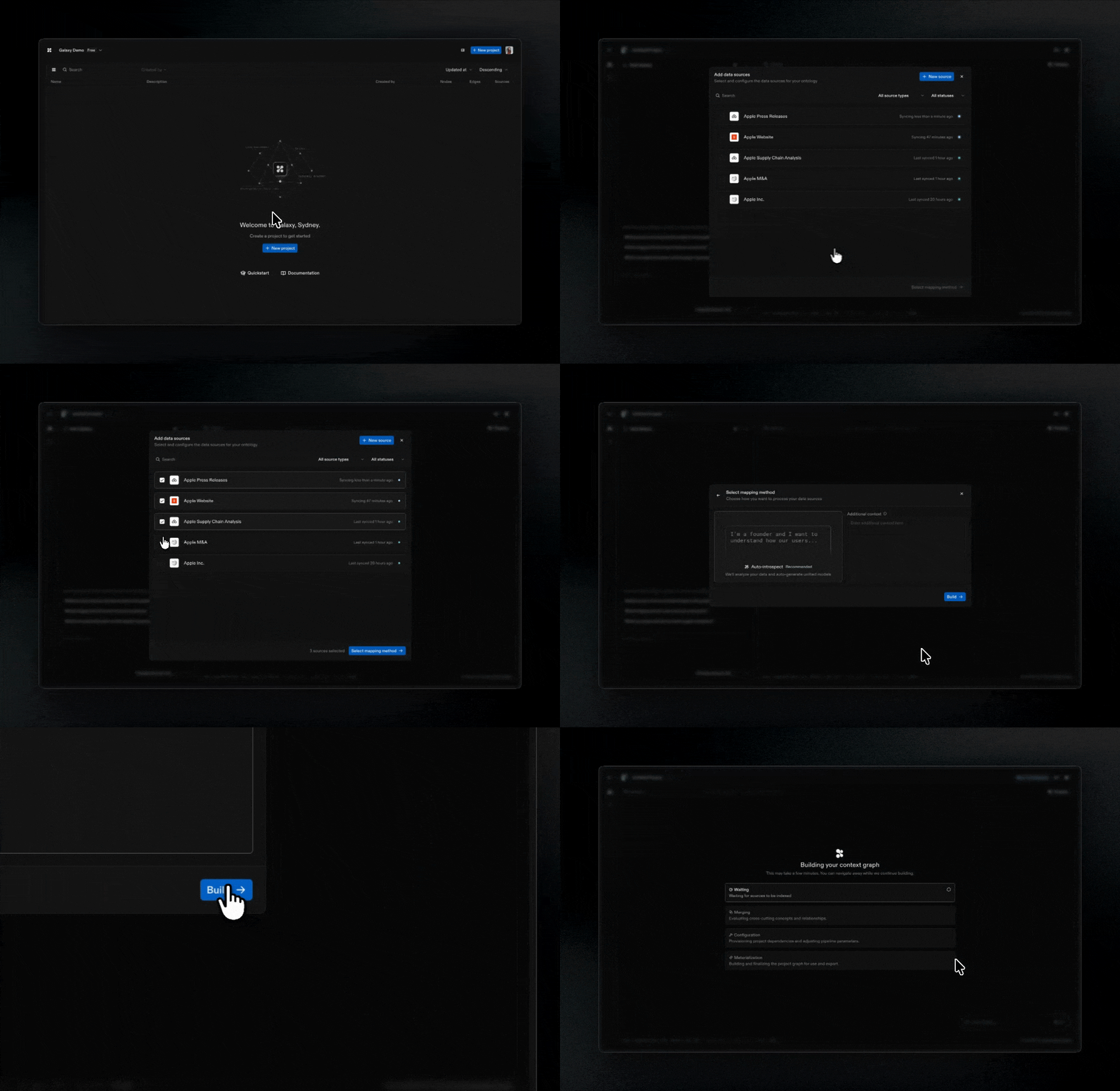 Start by clicking "New project" from Projects.
1. **Select Sources**: Choose which Sources to attach to your Project or connect a new source
2. **Choose mapping method**:
* **Auto-introspect**: Galaxy analyzes your Sources and automatically generates initial models
* COMING SOON *JSON: Define your context graph structure using JSON*
* COMING SOON *Blank: Build from scratch with a canvas experience*
3. **Run project sync**: Galaxy processes your Sources and generates the initial context graph
Start by clicking "New project" from Projects.
1. **Select Sources**: Choose which Sources to attach to your Project or connect a new source
2. **Choose mapping method**:
* **Auto-introspect**: Galaxy analyzes your Sources and automatically generates initial models
* COMING SOON *JSON: Define your context graph structure using JSON*
* COMING SOON *Blank: Build from scratch with a canvas experience*
3. **Run project sync**: Galaxy processes your Sources and generates the initial context graph
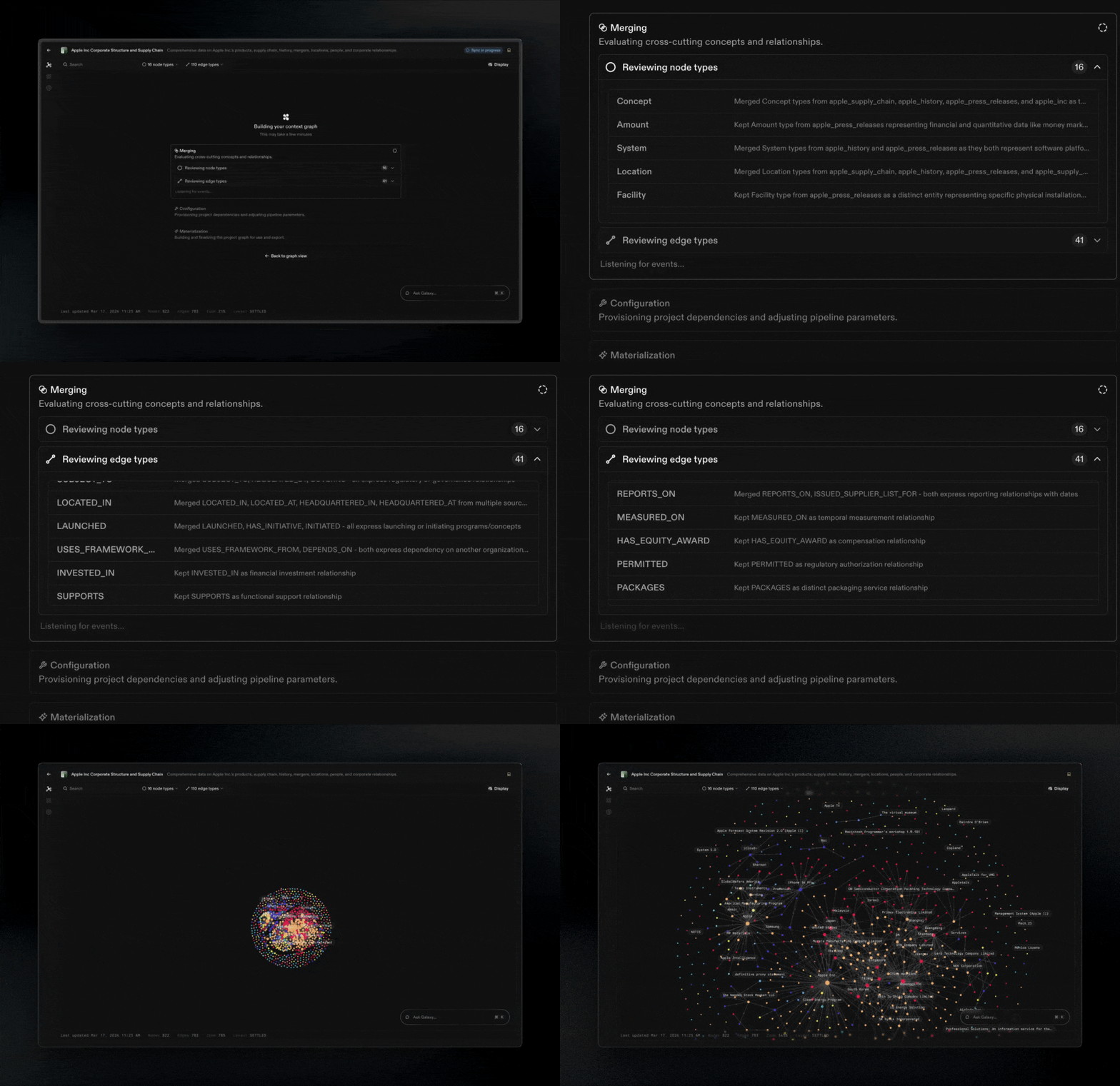 Now you're ready to uncover insights from your context graph.