> ## Documentation Index
> Fetch the complete documentation index at: https://docs.getgalaxy.io/llms.txt
> Use this file to discover all available pages before exploring further.
# Quickstart
> Get set up with your first project
By the end of this guide, you will have:
* Connected your first data source
* Created a project
* Explored your data as a context graph
## Step 1: Create Your Workspace
Login and create or join your team’s workspace.
## Step 2: Connect Your First Source
Galaxy connects to your existing data systems and builds a structure that organizes data around business concepts and relationships. See [Sources](/sources) for more details.
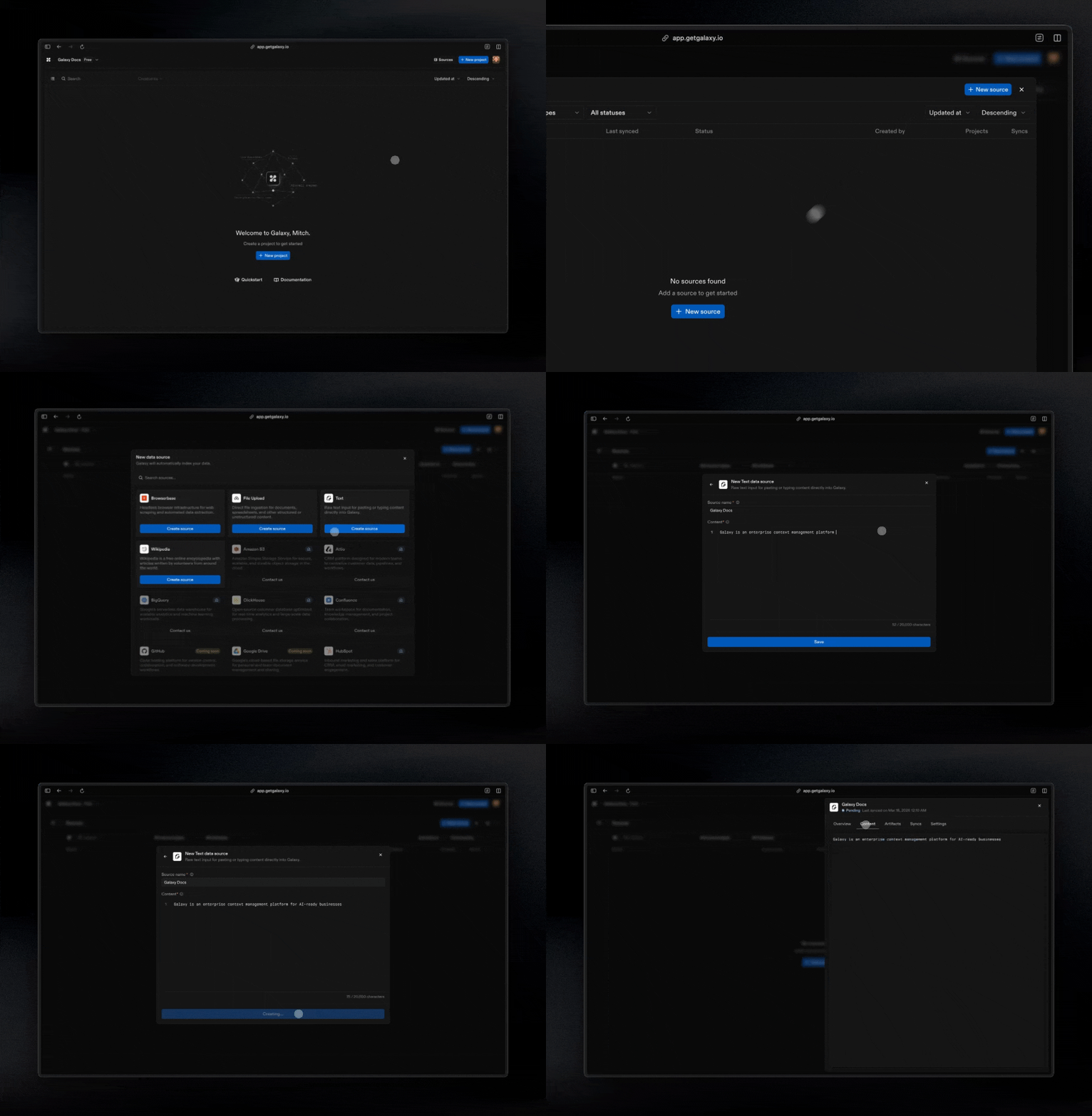 To add a source:
1. Open **Sources** from the main navigation
2. Select **Add Source**
3. Choose a connector
4. Authenticate or provide connection details
5. Save and test the connection
Now you’re ready to create your first project.
## Step 3: Create a Project
Projects are where you connect your data to build a context graph. See [Projects](/projects) for more details.
To add a source:
1. Open **Sources** from the main navigation
2. Select **Add Source**
3. Choose a connector
4. Authenticate or provide connection details
5. Save and test the connection
Now you’re ready to create your first project.
## Step 3: Create a Project
Projects are where you connect your data to build a context graph. See [Projects](/projects) for more details.
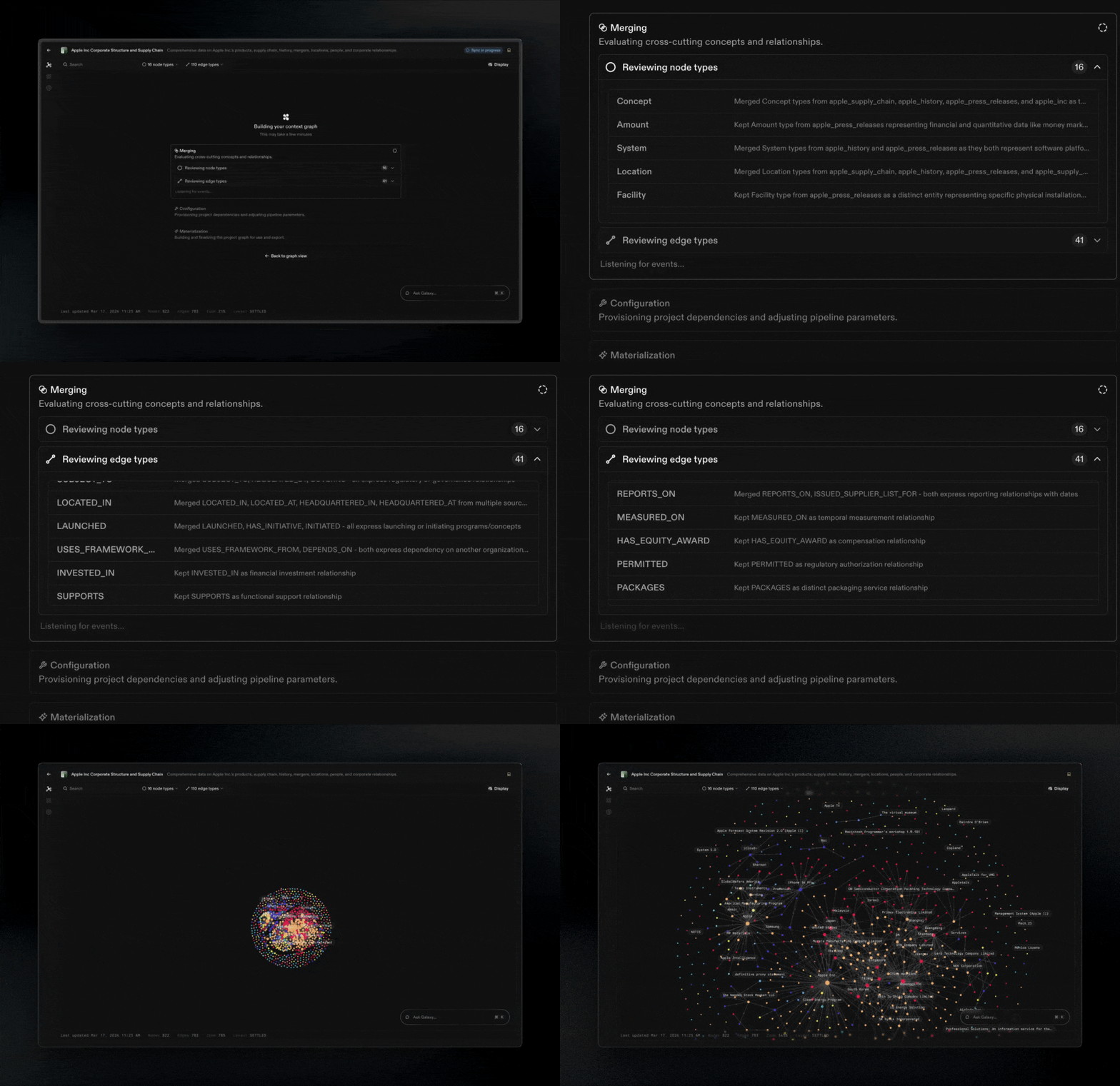 To create a project:
1. Go to **Projects**
2. Select **Create Project**
3. Select your sources and mapping method
Now your graph is building! You'll be alerted when the initial build is complete. Don't forget to name your project and add a description.
[Chat](/chat-with-your-graph) with your graph to uncover insights.
## **What You Built**
In a few steps, you have:
Connected real systems
Created a project
Defined business entities
Mapped relationships
Generated a living context graph
With your data connected and organized, you can now:
* Build accurate, trusted analytics
* Power AI with consistent context
* Collaborate using a common language
## **What's Next**
Now that you have completed the basics, explore these topics:
Understand Galaxy's foundation.
Connect more systems to Galaxy.
Build context graphs.
Manage access and governance.
To create a project:
1. Go to **Projects**
2. Select **Create Project**
3. Select your sources and mapping method
Now your graph is building! You'll be alerted when the initial build is complete. Don't forget to name your project and add a description.
[Chat](/chat-with-your-graph) with your graph to uncover insights.
## **What You Built**
In a few steps, you have:
Connected real systems
Created a project
Defined business entities
Mapped relationships
Generated a living context graph
With your data connected and organized, you can now:
* Build accurate, trusted analytics
* Power AI with consistent context
* Collaborate using a common language
## **What's Next**
Now that you have completed the basics, explore these topics:
Understand Galaxy's foundation.
Connect more systems to Galaxy.
Build context graphs.
Manage access and governance.