> ## Documentation Index
> Fetch the complete documentation index at: https://docs.getgalaxy.io/llms.txt
> Use this file to discover all available pages before exploring further.
# Sources
> Connect Galaxy to your data stack
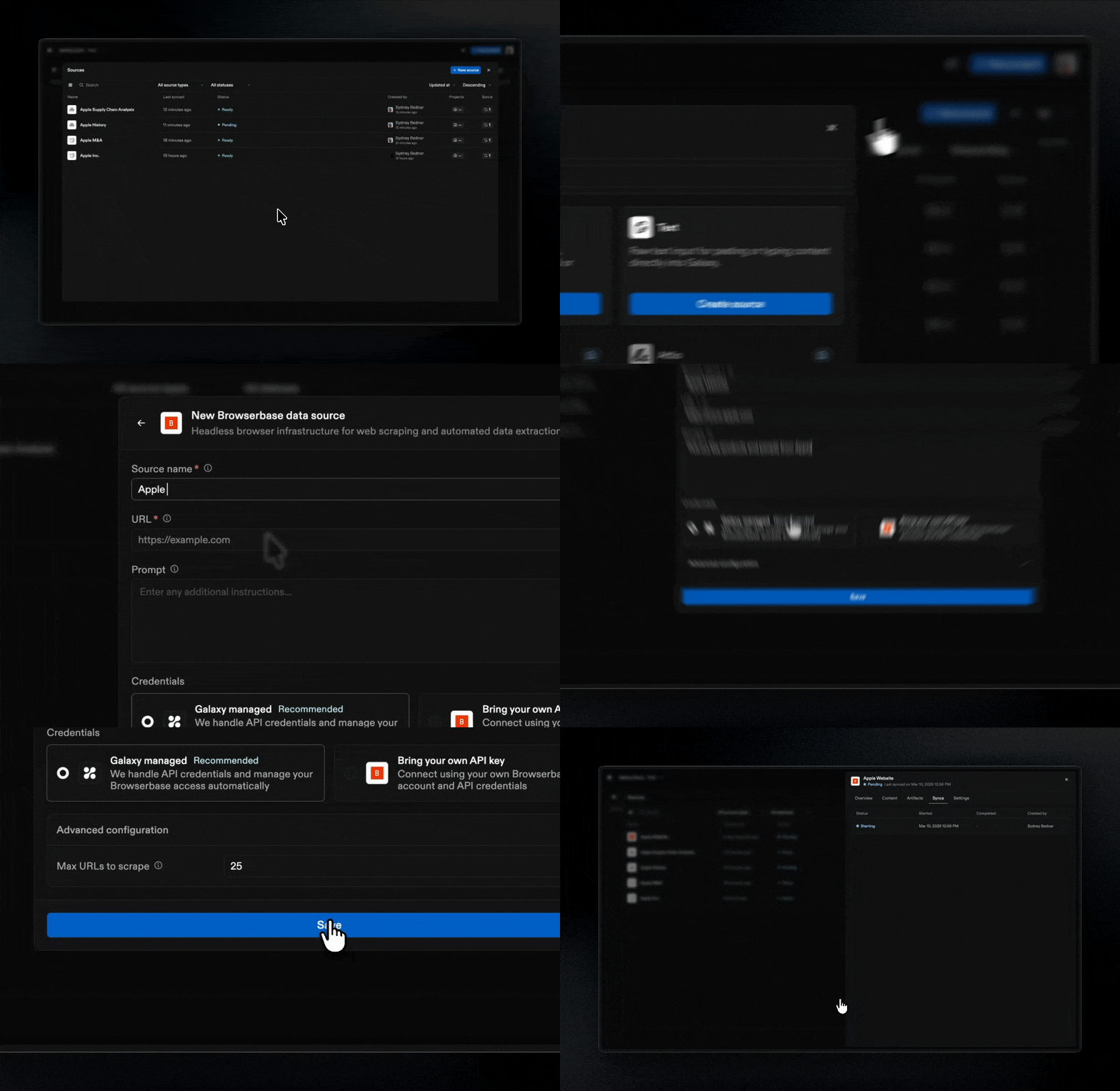
Sources are connections to external data systems. When you connect a Source, Galaxy observes its structure and replicates data according to your configuration.
 ## What Sources Are
Sources are the underlying systems of record that supply the raw data used to construct your Project.
When you connect a Source, Galaxy observes the structure of your connected systems: schemas, tables, columns, files, folders, and organizational elements. Galaxy automatically manages a data infrastructure built on [Apache Iceberg](https://iceberg.apache.org/) that replicates and stores your data.
Galaxy supports both **structured** and **unstructured** data:
* **Structured sources**: Databases, spreadsheets, and other structured formats expose schemas, tables, columns, and relationships
* **Unstructured sources**: Documents, files, and text content are processed to extract structure, text, entities, and semantic information
## Source Types
Galaxy supports the following Source types:
* [**File Upload**](/sources/file-upload): Direct file upload to Galaxy
* [**Browserbase**](/sources/browserbase): Website content scraping
* [**Free Text**](/sources/free-text): Paste or type content into the input box
* COMING SOON [**PostgreSQL**](/sources/postgresql): Relational database management system
* COMING SOON [**Google Drive**](/sources/google-drive): Cloud-based file storage and collaboration platform
* COMING SOON [**Slack**](/sources/slack): Messaging and collaboration platform
* COMING SOON [**Amazon S3**](/sources/s3): Object storage service
* COMING SOON [**Notion**](/sources/notion): Productivity and knowledge management platform
* COMING SOON [**Attio**](/sources/attio): CRM platform
Each Source type has specific configuration requirements. See the individual Source pages for detailed information.
## **Managing Sources**
## What Sources Are
Sources are the underlying systems of record that supply the raw data used to construct your Project.
When you connect a Source, Galaxy observes the structure of your connected systems: schemas, tables, columns, files, folders, and organizational elements. Galaxy automatically manages a data infrastructure built on [Apache Iceberg](https://iceberg.apache.org/) that replicates and stores your data.
Galaxy supports both **structured** and **unstructured** data:
* **Structured sources**: Databases, spreadsheets, and other structured formats expose schemas, tables, columns, and relationships
* **Unstructured sources**: Documents, files, and text content are processed to extract structure, text, entities, and semantic information
## Source Types
Galaxy supports the following Source types:
* [**File Upload**](/sources/file-upload): Direct file upload to Galaxy
* [**Browserbase**](/sources/browserbase): Website content scraping
* [**Free Text**](/sources/free-text): Paste or type content into the input box
* COMING SOON [**PostgreSQL**](/sources/postgresql): Relational database management system
* COMING SOON [**Google Drive**](/sources/google-drive): Cloud-based file storage and collaboration platform
* COMING SOON [**Slack**](/sources/slack): Messaging and collaboration platform
* COMING SOON [**Amazon S3**](/sources/s3): Object storage service
* COMING SOON [**Notion**](/sources/notion): Productivity and knowledge management platform
* COMING SOON [**Attio**](/sources/attio): CRM platform
Each Source type has specific configuration requirements. See the individual Source pages for detailed information.
## **Managing Sources**
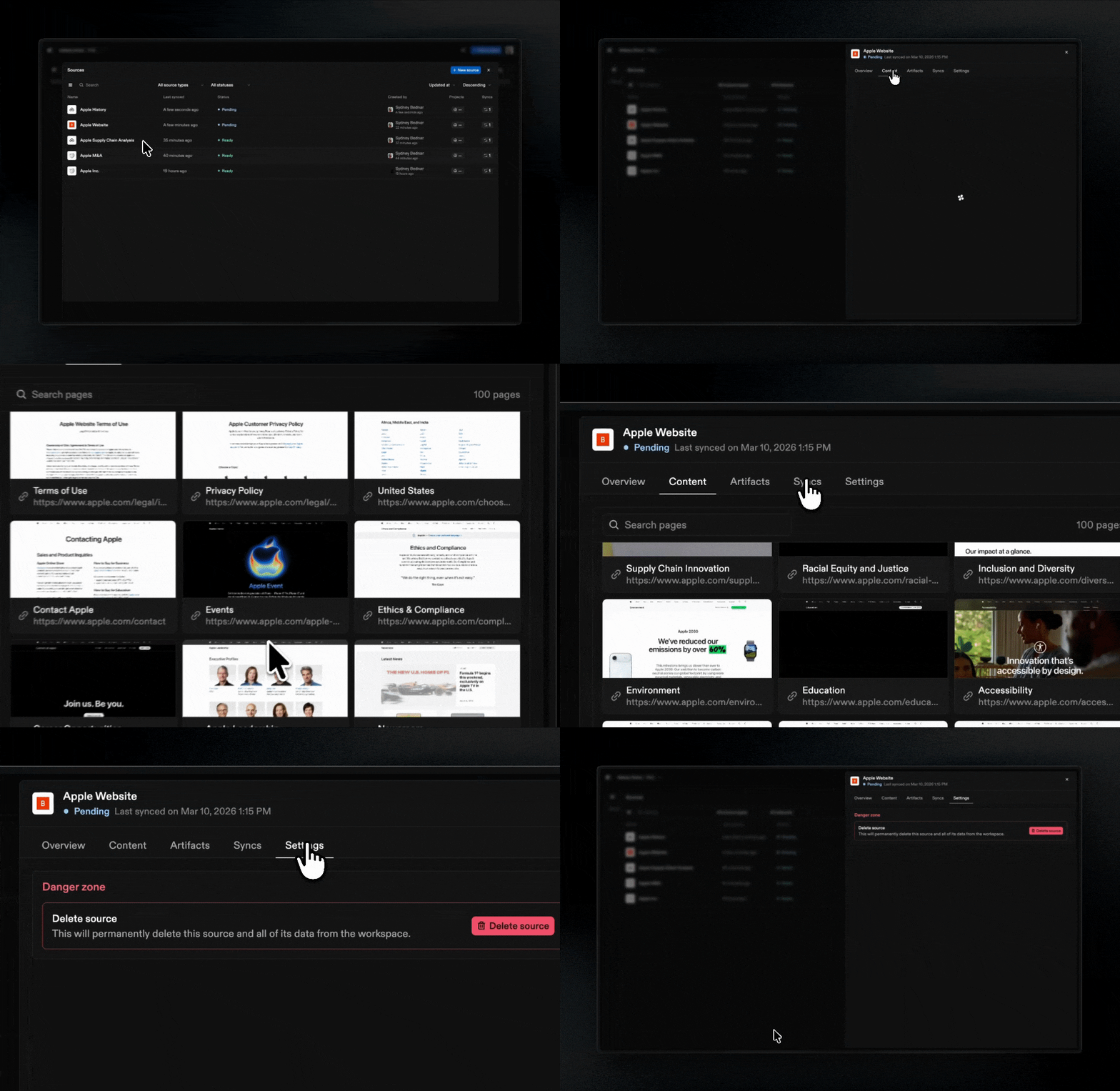 After connecting a Source, you can:
* **View structure**: Browse schemas, tables, columns, files
* **View activity**: See all syncs and updates to the source from your team
* **Sync**: Update Galaxy’s understanding if the source system has changed
* **Configure connection**: Update connection details or authentication
* **Delete**: Disconnect a Source if it is no longer needed
Removing a Source does not delete Projects, but Projects that were using that Source will no longer have access to its structure.
## **Sources and Projects**
Galaxy intentionally separates observation from interpretation.
Galaxy connects to systems and records what exists
Teams define what those structures mean in context
As nodes and edges are defined, a navigable graph forms
When systems change, the context graph can evolve with them
Multiple **Projects** can attach to the same **Source**. This allows different teams or use cases to interpret the same **Source** structure differently, depending on their needs.
Don’t see a source type you're looking for? We connect to hundreds of systems - reach out to [support@getgalaxy.io](mailto:support@getgalaxy.io) to request access.
After connecting a Source, you can:
* **View structure**: Browse schemas, tables, columns, files
* **View activity**: See all syncs and updates to the source from your team
* **Sync**: Update Galaxy’s understanding if the source system has changed
* **Configure connection**: Update connection details or authentication
* **Delete**: Disconnect a Source if it is no longer needed
Removing a Source does not delete Projects, but Projects that were using that Source will no longer have access to its structure.
## **Sources and Projects**
Galaxy intentionally separates observation from interpretation.
Galaxy connects to systems and records what exists
Teams define what those structures mean in context
As nodes and edges are defined, a navigable graph forms
When systems change, the context graph can evolve with them
Multiple **Projects** can attach to the same **Source**. This allows different teams or use cases to interpret the same **Source** structure differently, depending on their needs.
Don’t see a source type you're looking for? We connect to hundreds of systems - reach out to [support@getgalaxy.io](mailto:support@getgalaxy.io) to request access.