> ## Documentation Index
> Fetch the complete documentation index at: https://docs.getgalaxy.io/llms.txt
> Use this file to discover all available pages before exploring further.
# File Upload
> Uploading files directly to Galaxy
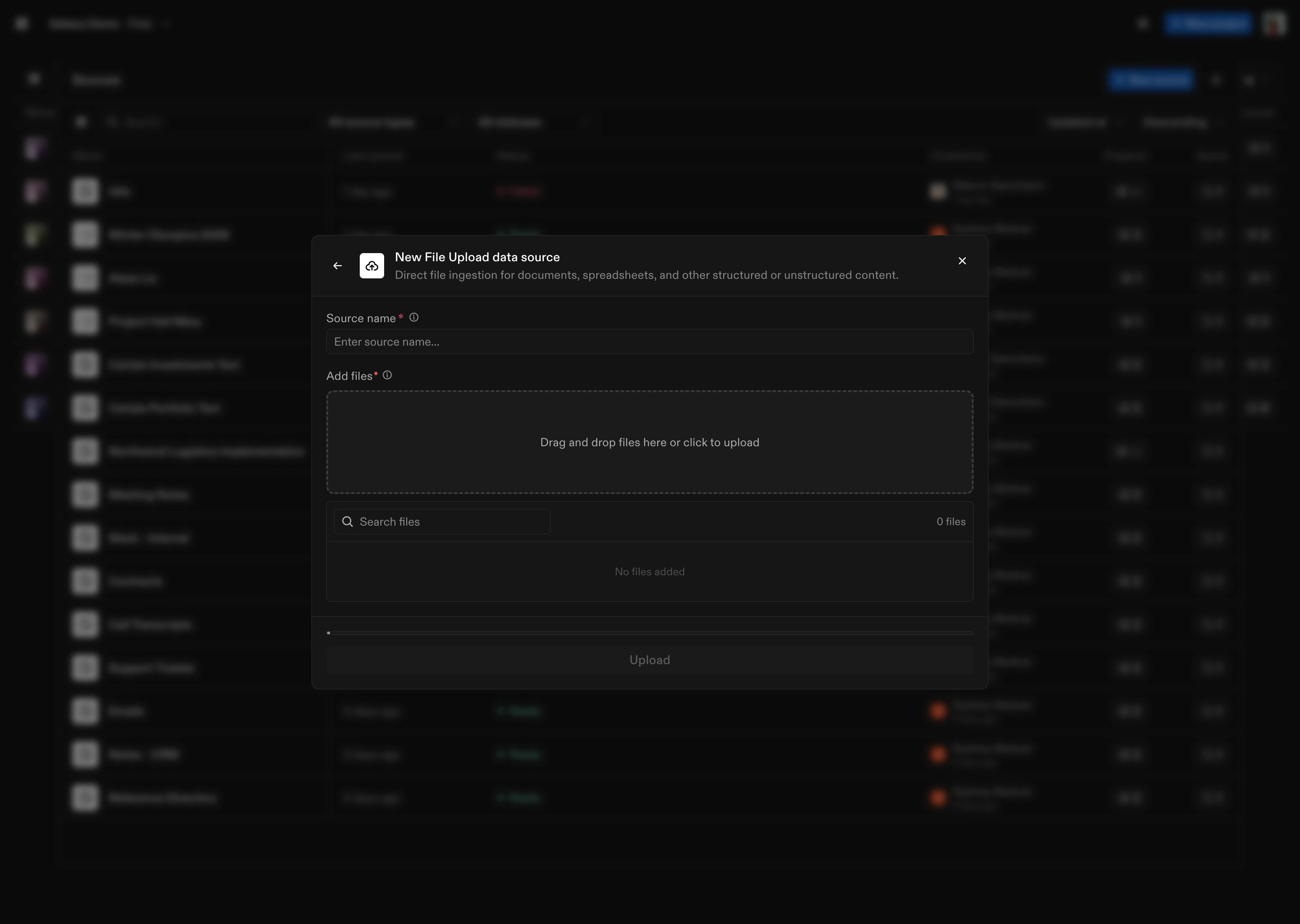
Upload files directly to Galaxy without connecting to an external system. Galaxy processes files and extracts structure, content, and metadata.
 ## How to Connect
1. **Select File Upload** as the Source type
2. **Upload files**: Select files from your local system to upload
3. **Name the Source**: Give your File Upload Source a name
Once created, Galaxy processes the uploaded files and extracts structure and content.
## File Processing
Galaxy supports the following file types: **.csv, .pdf, .ppt, .pptx, .xlsx, .doc, .docx, .txt, .md**.
We also handle:
* Text extraction (preserving structure and layout)
* Entity extraction (dates, emails, URLs, phone numbers, measurements, etc.)
* Normalization of extracted entities to standardized formats
Don’t see a source type you're looking for? We connect to hundreds of systems - reach out to [support@getgalaxy.io](mailto:support@getgalaxy.io) to request access.
## What's Next
Learn about Sources in general
Understand how to use Sources in Projects
## How to Connect
1. **Select File Upload** as the Source type
2. **Upload files**: Select files from your local system to upload
3. **Name the Source**: Give your File Upload Source a name
Once created, Galaxy processes the uploaded files and extracts structure and content.
## File Processing
Galaxy supports the following file types: **.csv, .pdf, .ppt, .pptx, .xlsx, .doc, .docx, .txt, .md**.
We also handle:
* Text extraction (preserving structure and layout)
* Entity extraction (dates, emails, URLs, phone numbers, measurements, etc.)
* Normalization of extracted entities to standardized formats
Don’t see a source type you're looking for? We connect to hundreds of systems - reach out to [support@getgalaxy.io](mailto:support@getgalaxy.io) to request access.
## What's Next
Learn about Sources in general
Understand how to use Sources in Projects