> ## Documentation Index
> Fetch the complete documentation index at: https://docs.getgalaxy.io/llms.txt
> Use this file to discover all available pages before exploring further.
# Free Text
> Paste or write raw text directly into Galaxy
Text sources are useful for notes, documentation, transcripts, contracts, or any content that does not live in a connected system.
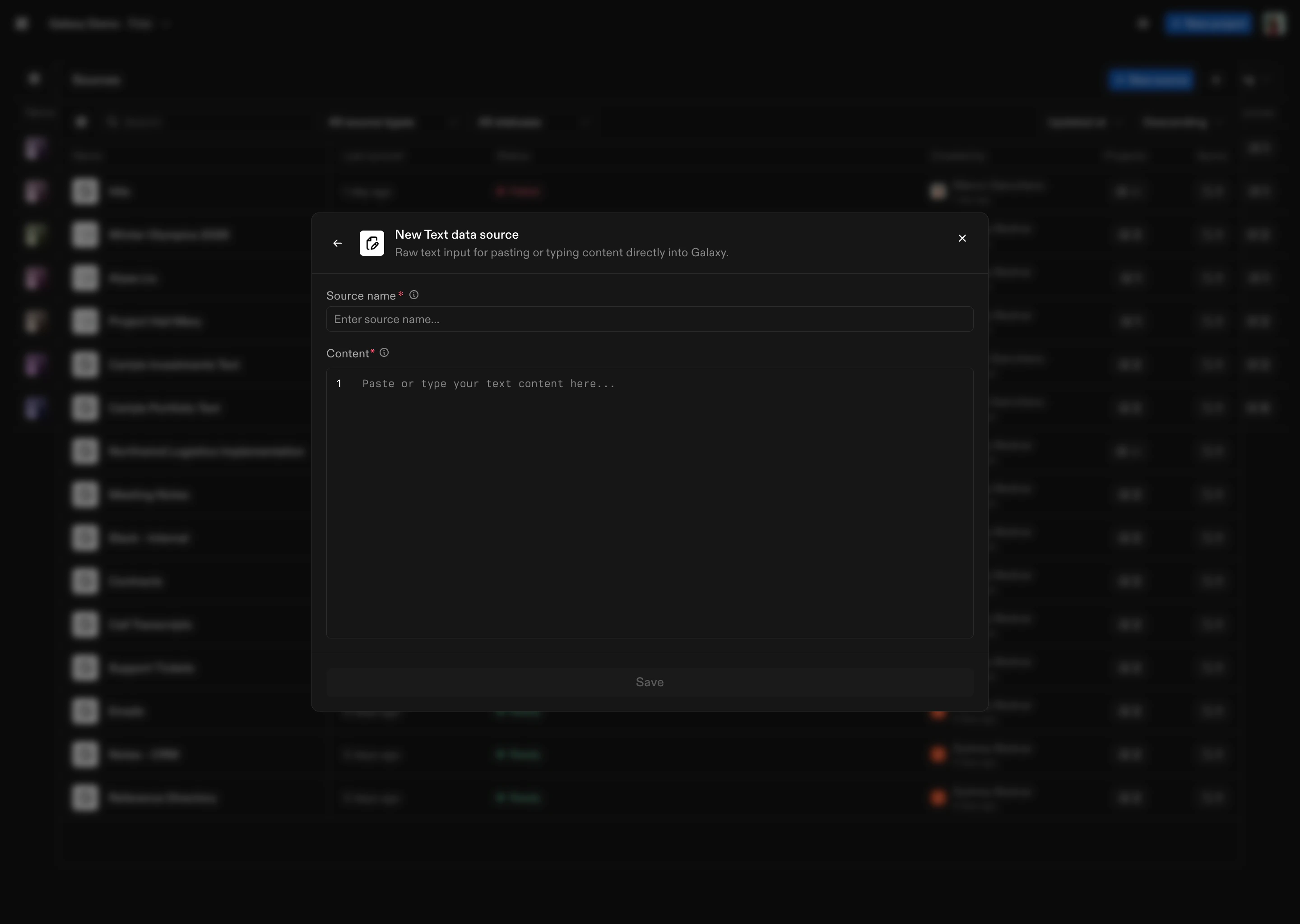 ## How to Connect
1. **Select Text** as the Source type
2. **Name the Source**
3. **Paste or type content** into the Content field
4. Click **Save**
Once saved, Galaxy processes the text and makes it available to your Project for modeling and exploration.
Don’t see a source type you're looking for? We connect to hundreds of systems - reach out to [support@getgalaxy.io](mailto:support@getgalaxy.io) to request access.
## What's Next
Learn about Sources in general
Understand how to use Sources in Projects
## How to Connect
1. **Select Text** as the Source type
2. **Name the Source**
3. **Paste or type content** into the Content field
4. Click **Save**
Once saved, Galaxy processes the text and makes it available to your Project for modeling and exploration.
Don’t see a source type you're looking for? We connect to hundreds of systems - reach out to [support@getgalaxy.io](mailto:support@getgalaxy.io) to request access.
## What's Next
Learn about Sources in general
Understand how to use Sources in Projects