> ## Documentation Index
> Fetch the complete documentation index at: https://docs.getgalaxy.io/llms.txt
> Use this file to discover all available pages before exploring further.
# Wikipedia
> Add any Wikipedia article to Galaxy
Provide a Wikipedia URL, and Galaxy fetches the content, extracts structure, text, and entities.
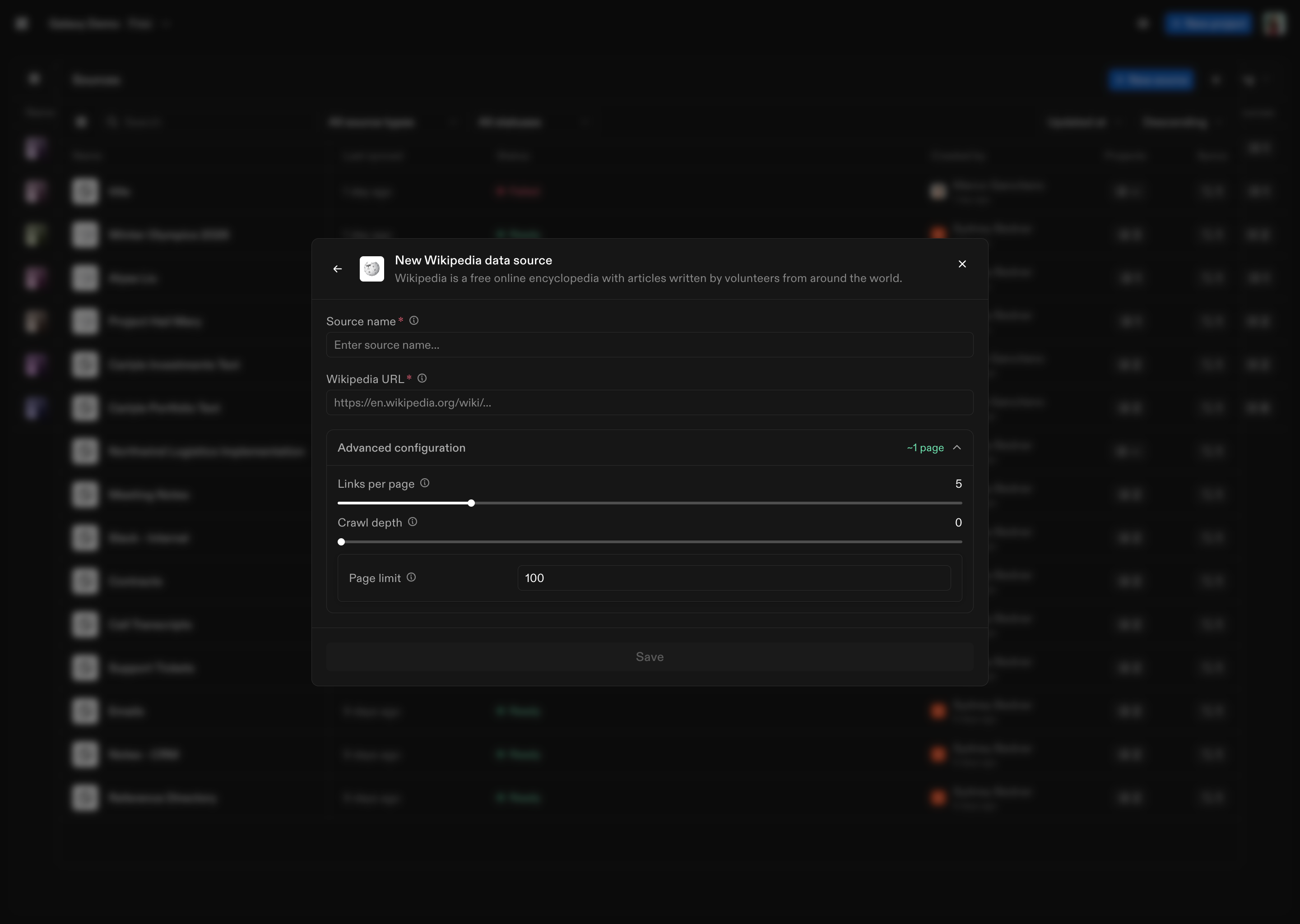 ## **How to Connect**
1. **Select Wikipedia** as the Source type
2. **Name the Source**: Give your Wikipedia Source a name
3. **Provide an article URL or title**: Enter the full Wikipedia URL (e.g., `https://en.wikipedia.org/wiki/Example`) or the article title
4. **(Optional) Add a Prompt**: Provide additional instructions to guide extraction (e.g., focus on the history section, ignore references, prioritize structured data)
5. Click **Save**
Once created, Galaxy fetches the article content and processes it for modeling and exploration.
### **Content Processing**
Galaxy processes Wikipedia content with:
* **Text extraction**: Extracts article body text, preserving section structure and headings
* **Content normalization**: Normalizes content for consistency across sources
* **Entity extraction**: Automatically extracts and normalizes semantic entities including:
* Dates and times (normalized to standard formats)
* Email addresses and URLs
* Measurements, money, and percentages
* Serial numbers and version numbers
* Technical measurements (temperature, pressure, voltage, current, frequency)
Don’t see a source type you're looking for? We connect to hundreds of systems - reach out to [support@getgalaxy.io](mailto:support@getgalaxy.io) to request access.
## What's Next
Learn about Sources in general
Understand how to use Sources in Projects
## **How to Connect**
1. **Select Wikipedia** as the Source type
2. **Name the Source**: Give your Wikipedia Source a name
3. **Provide an article URL or title**: Enter the full Wikipedia URL (e.g., `https://en.wikipedia.org/wiki/Example`) or the article title
4. **(Optional) Add a Prompt**: Provide additional instructions to guide extraction (e.g., focus on the history section, ignore references, prioritize structured data)
5. Click **Save**
Once created, Galaxy fetches the article content and processes it for modeling and exploration.
### **Content Processing**
Galaxy processes Wikipedia content with:
* **Text extraction**: Extracts article body text, preserving section structure and headings
* **Content normalization**: Normalizes content for consistency across sources
* **Entity extraction**: Automatically extracts and normalizes semantic entities including:
* Dates and times (normalized to standard formats)
* Email addresses and URLs
* Measurements, money, and percentages
* Serial numbers and version numbers
* Technical measurements (temperature, pressure, voltage, current, frequency)
Don’t see a source type you're looking for? We connect to hundreds of systems - reach out to [support@getgalaxy.io](mailto:support@getgalaxy.io) to request access.
## What's Next
Learn about Sources in general
Understand how to use Sources in Projects