

Sources
Sources are connections to external data systems. When you connect a Source, Galaxy observes its structure and replicates data according to your configuration.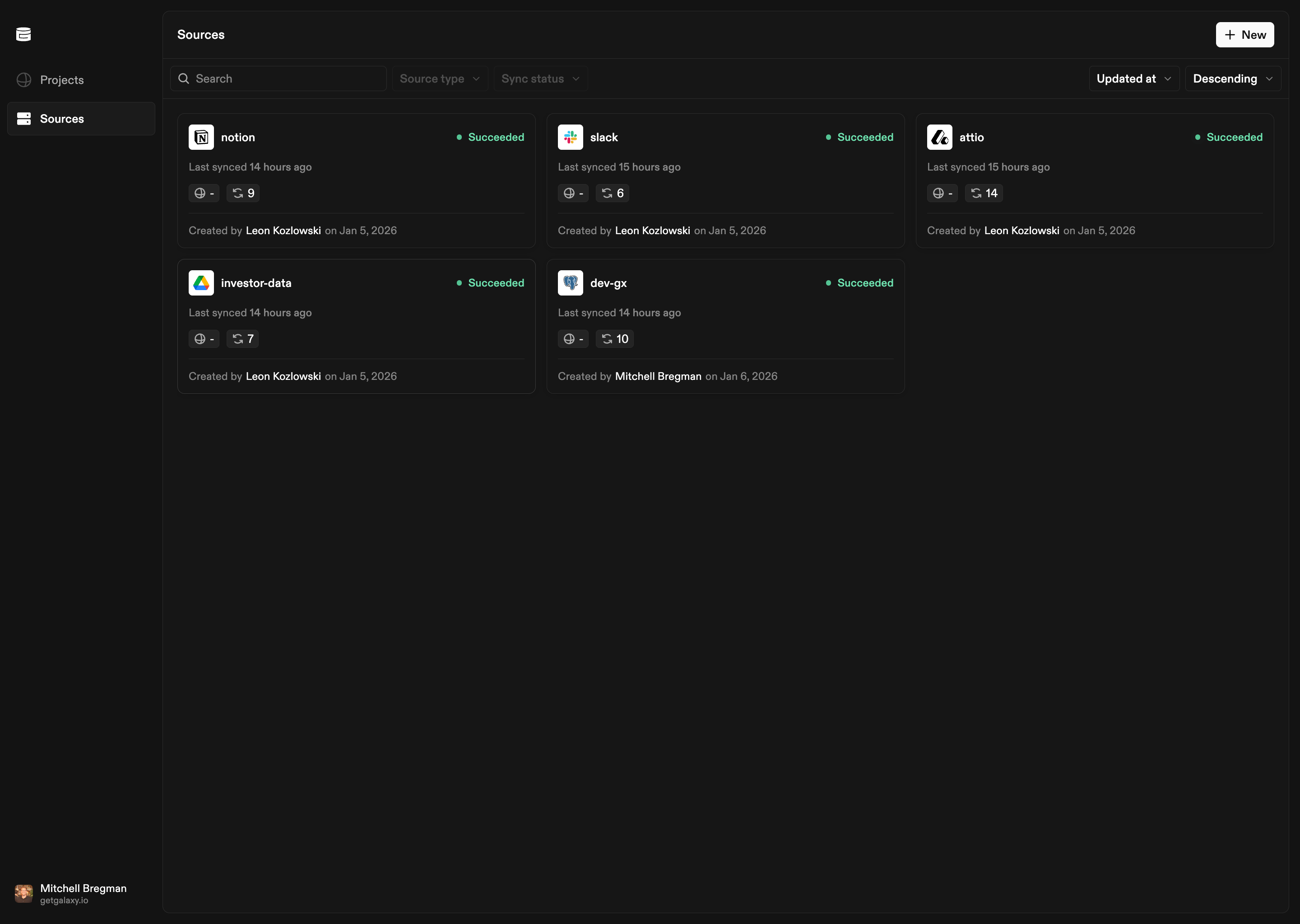
What Sources Are
Sources answer one question: What exists? They are the factual foundation—hard evidence of what exists in your data systems—that Projects use to build semantic understanding. When you connect a Source, Galaxy observes the structure of your connected systems—schemas, tables, columns, files, folders, and organizational elements. Galaxy automatically manages a data infrastructure built on Apache Iceberg that replicates and stores your data. You can connect to any of the main storage providers, and Galaxy handles the infrastructure for you. Galaxy supports both structured and unstructured data:- Structured sources: Databases, spreadsheets, and other structured formats expose schemas, tables, columns, and relationships
- Unstructured sources: Documents, files, and text content are processed to extract structure, text, entities, and semantic information
Supported Source Types
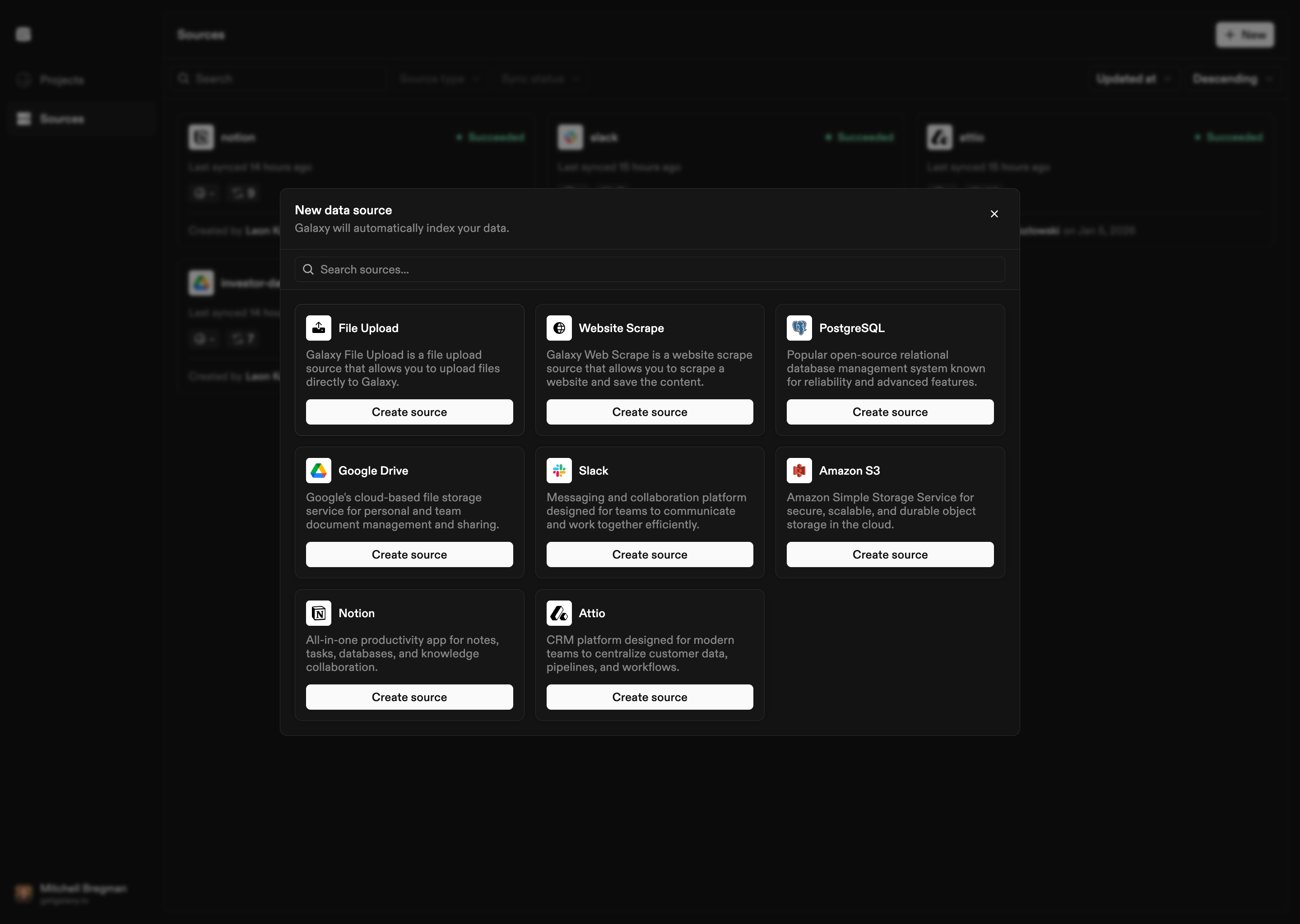
Galaxy supports the following Source types:- PostgreSQL: Relational database management system
- Google Drive: Cloud-based file storage and collaboration platform
- Slack: Messaging and collaboration platform
- Amazon S3: Object storage service
- Notion: Productivity and knowledge management platform
- Attio: CRM platform
- File Upload: Direct file upload to Galaxy
- Website Scrape: Website content scraping
Connecting a Source
Connecting a Source involves selecting the Source type and configuring the connection:- Select Source Type: Choose from available Source types
- Configure Connection: Provide connection details, authentication credentials, and configuration options specific to the Source type
- Select Data: Choose which data to replicate (schemas, folders, channels, etc.)
Managing Sources
After connecting a Source, you can:- View structure: Browse schemas, tables, columns, files, and other structural elements that Galaxy has observed
- Refresh structure: Update Galaxy’s understanding if the source system has changed
- Configure connection: Update connection details or authentication
- Remove connection: Disconnect a Source if it is no longer needed