

Google Drive
Connect Galaxy to a Google Drive account or shared drive to observe files, folders, document types, and organizational hierarchy.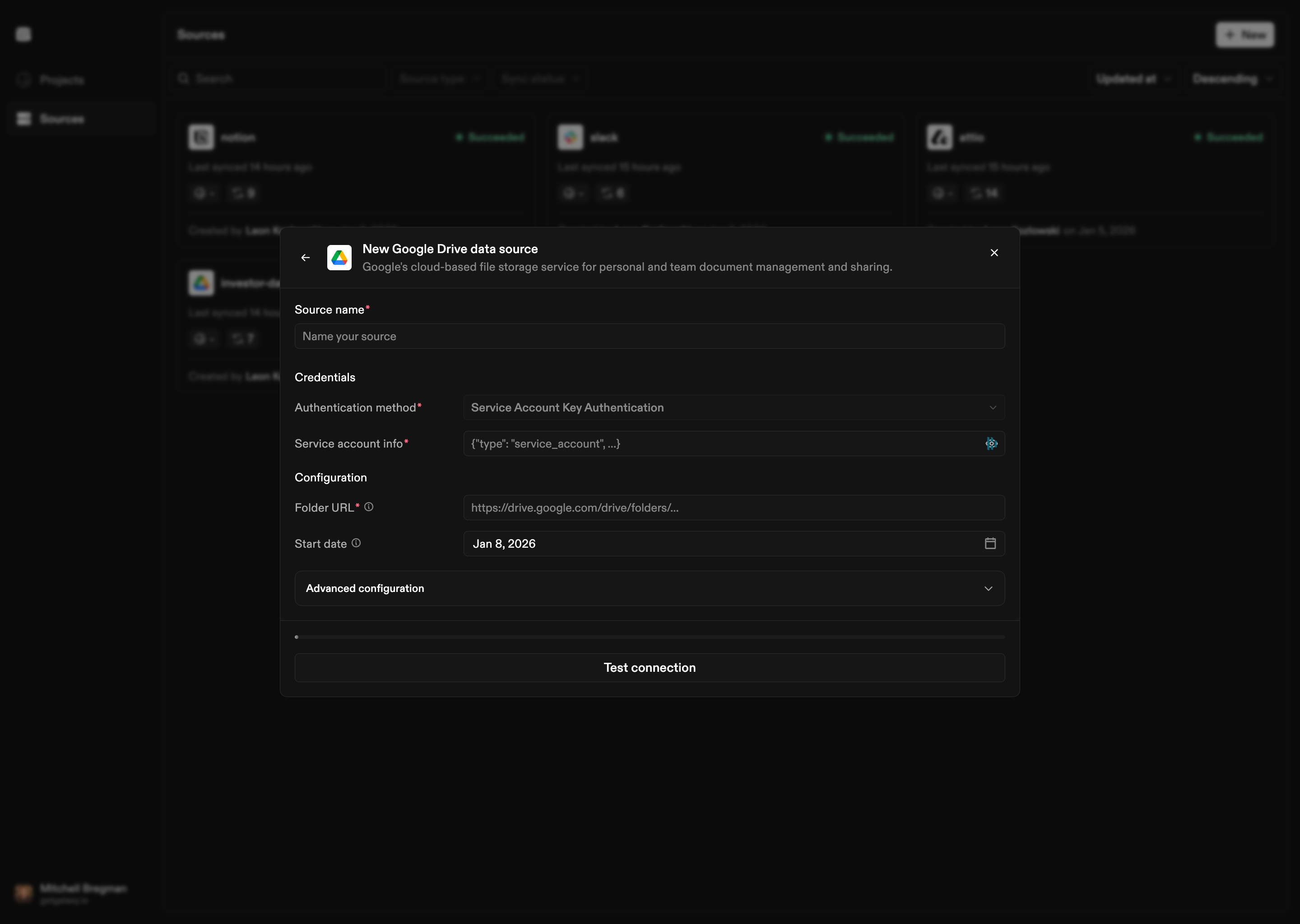
How to Connect
- Select Google Drive as the Source type
- Choose authentication method:
- OAuth 2.0: Standard OAuth flow for user authentication
- Service Account: Service account key authentication for automated access
- Provide credentials:
- OAuth: Refresh token, Client ID, and Client Secret
- Service Account: Service account JSON key
- Configure folder: Provide the folder URL to observe
- Configure streams: Set up file-based stream configurations for different file types
Configuration Options
Authentication
OAuth 2.0:- Refresh Token: OAuth refresh token
- Client ID: OAuth client ID
- Client Secret: OAuth client secret
- Service Account Info: JSON key for the service account
Folder Configuration
- Folder URL: Google Drive folder URL to observe
Stream Configuration
Configure file-based streams to process different file types:- Structured formats: CSV, Excel, JSONL, Parquet, Avro
- Unstructured documents: PDFs, DOCX, Markdown, and other text formats
- Processing options: Configure parsing strategies, validation policies, and schema discovery